Designing Secure Solutions to Protect Schools in the Digital Age
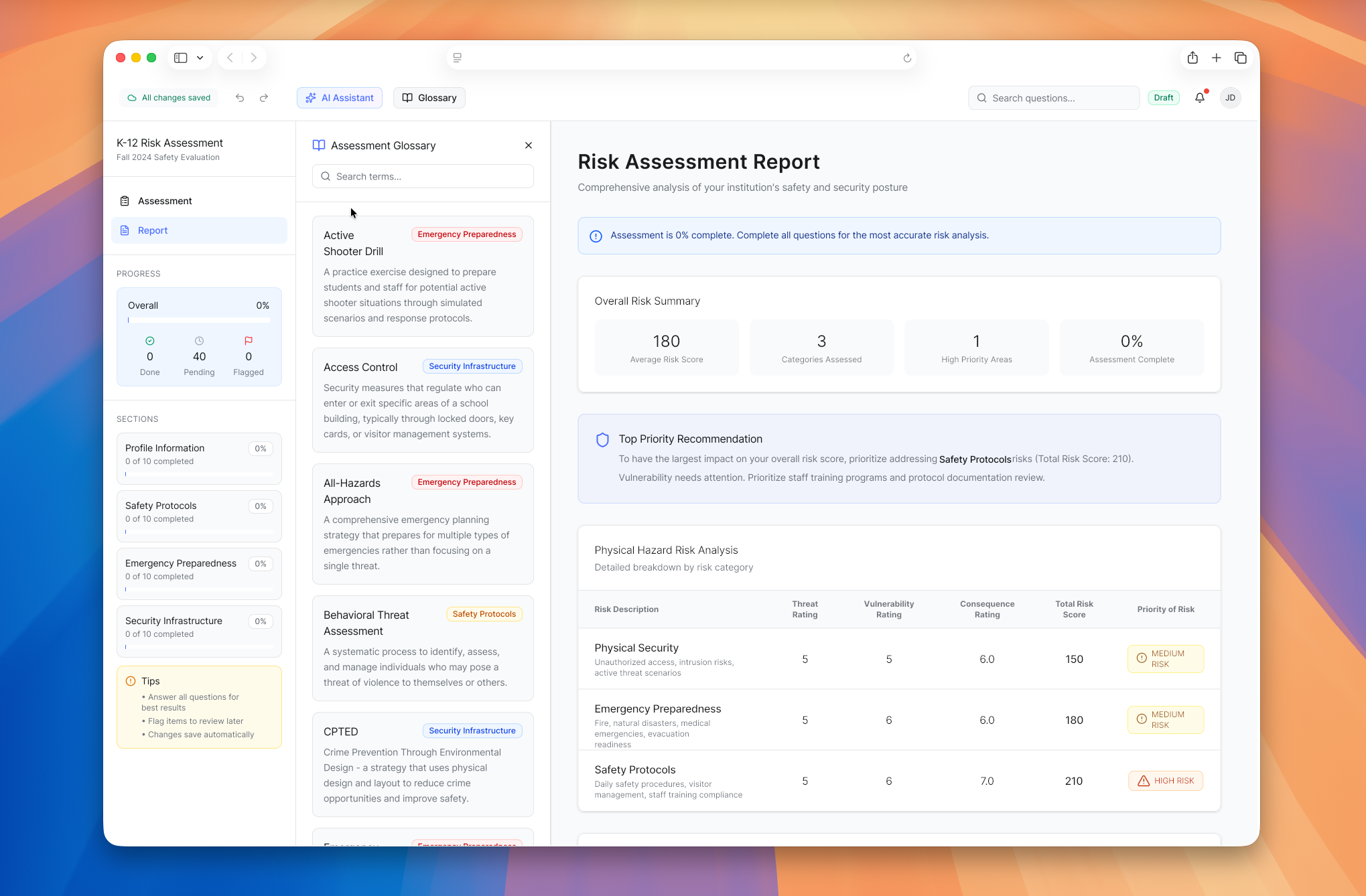
Understanding the Challenge
K12 districts face an increasingly complex security landscape, balancing threats from natural disasters, physical security breaches, and cyber attacks. Yet most lack the tools and resources to effectively assess and address their vulnerabilities.
Through interviews with over 40 district leaders, we discovered a critical gap: existing security assessment tools were either too generic to address district-specific needs, too complex for non-technical staff to use effectively, or too expensive for already-strained budgets. Many districts relied on static PDF checklists that provided no implementation guidance, while others invested in expensive consultants who produced comprehensive reports that sat on shelves, never translating into actionable security improvements.
The stakes are high—schools need to protect students, staff, and infrastructure across multiple threat vectors, but they're operating with limited resources and expertise. Without accessible, context-aware assessment tools, districts struggle to prioritize risks and allocate their security budgets effectively.
Exploring Existing Solutions
We analyzed existing security assessment tools and studied effective assessment patterns from healthcare and workplace safety. Key insight: successful tools provide clear guidance, adapt to context, and translate complex requirements into plain language.
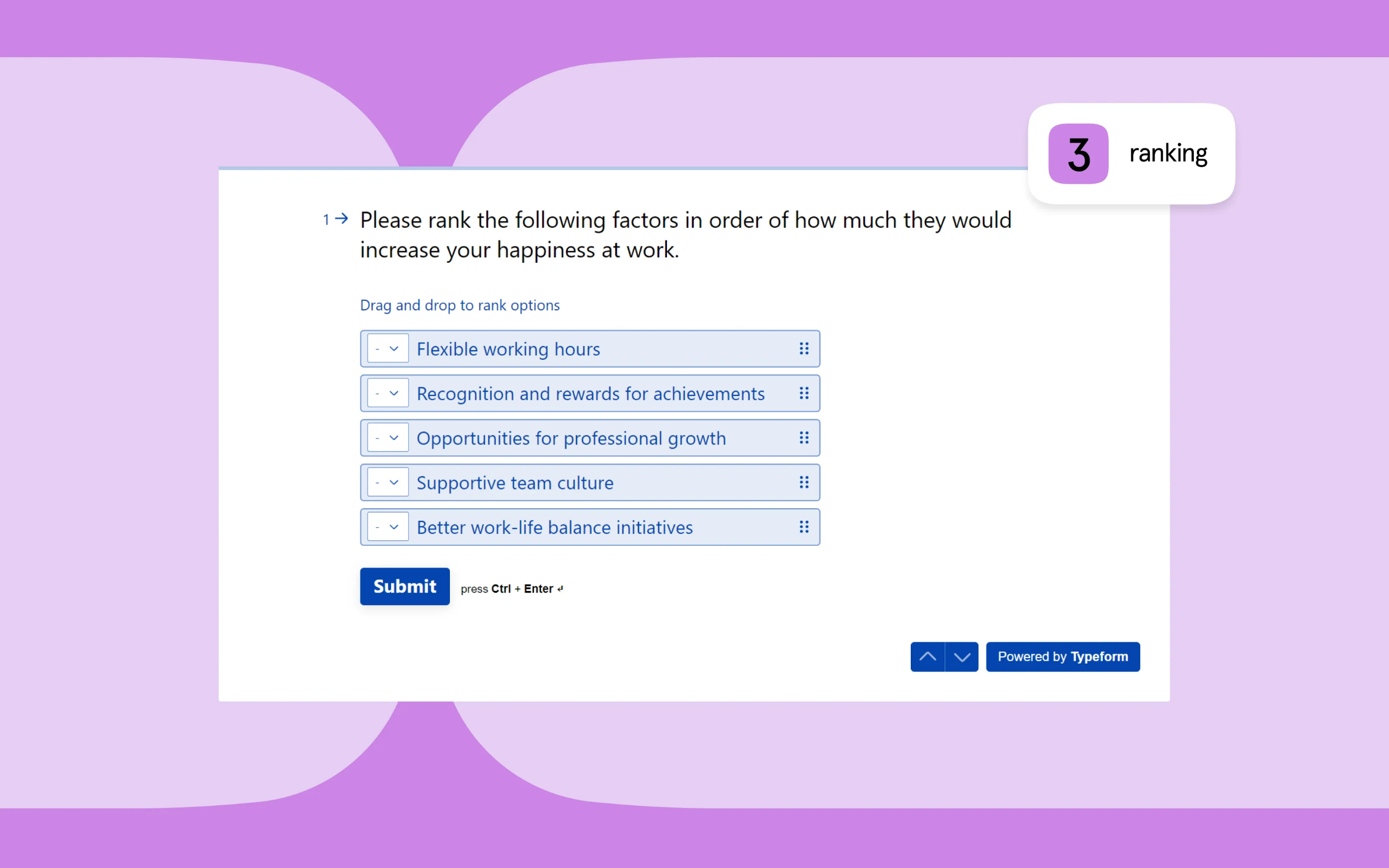
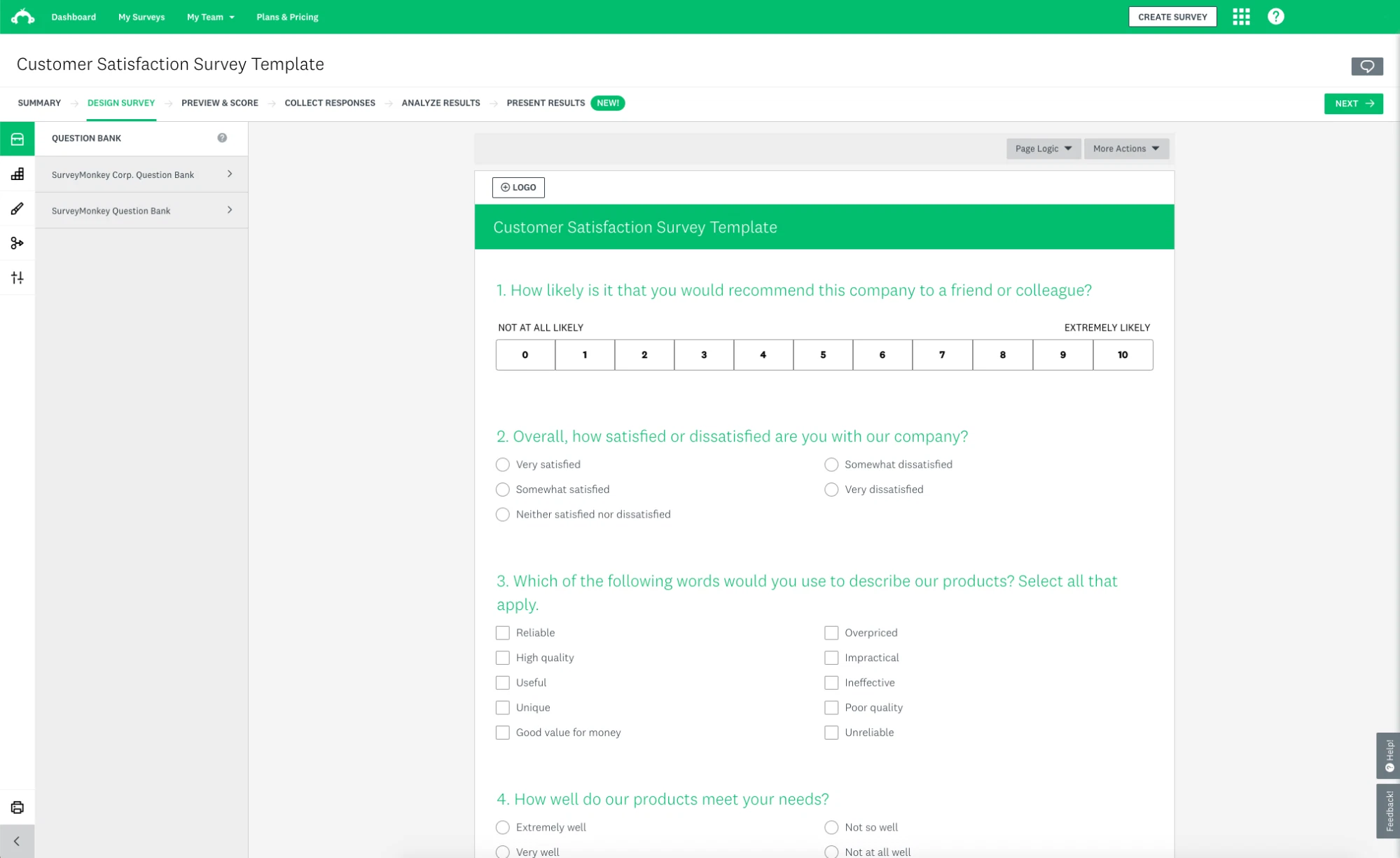
Assessment examples from our research phase showing different approaches to question interfaces and results presentation
Understanding Our Users
Through interviews with over 40 district leaders, we identified three primary user personas that represent the key stakeholders involved in security assessments. Each persona has distinct needs, responsibilities, and pain points that informed our design decisions.
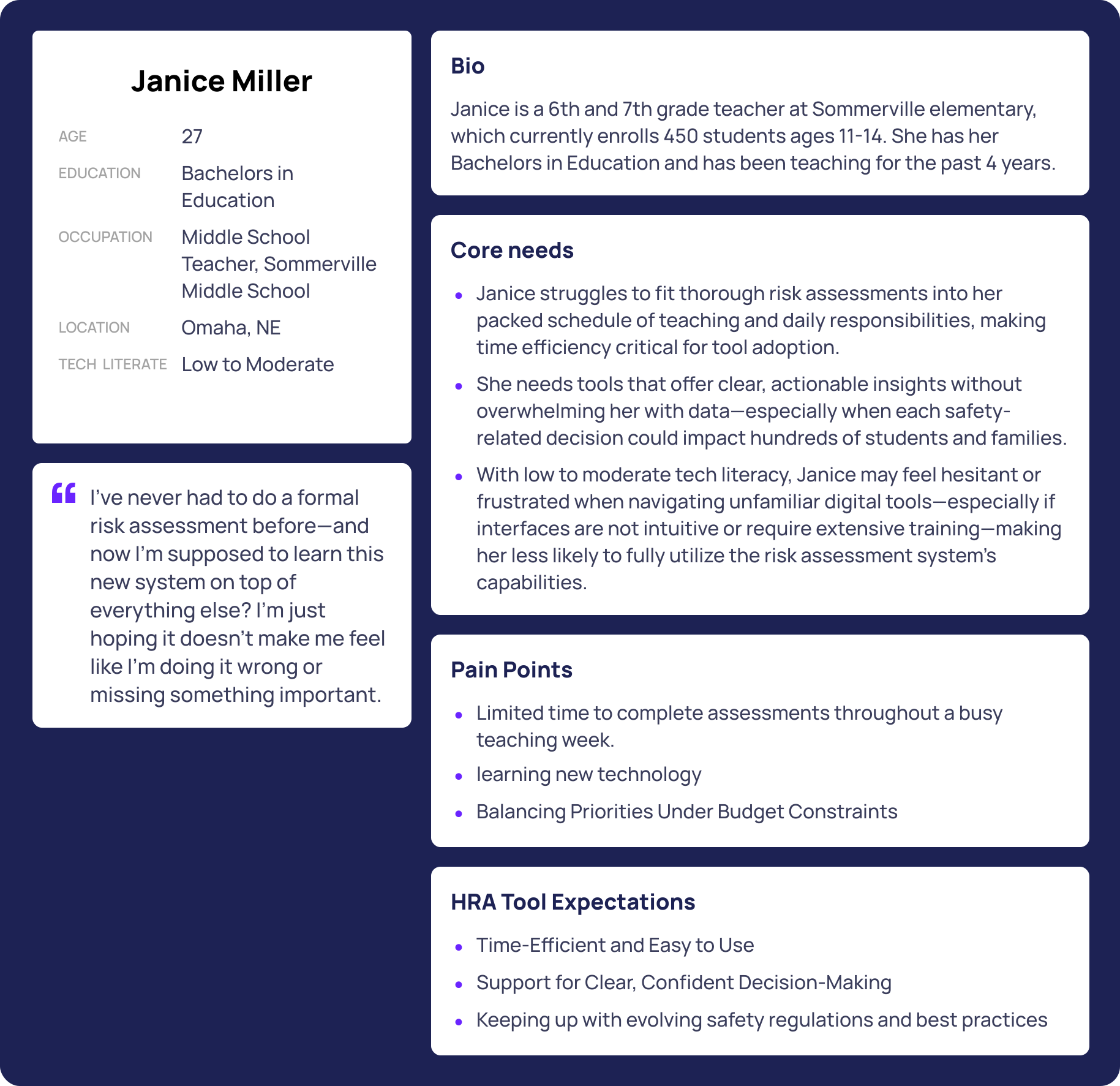
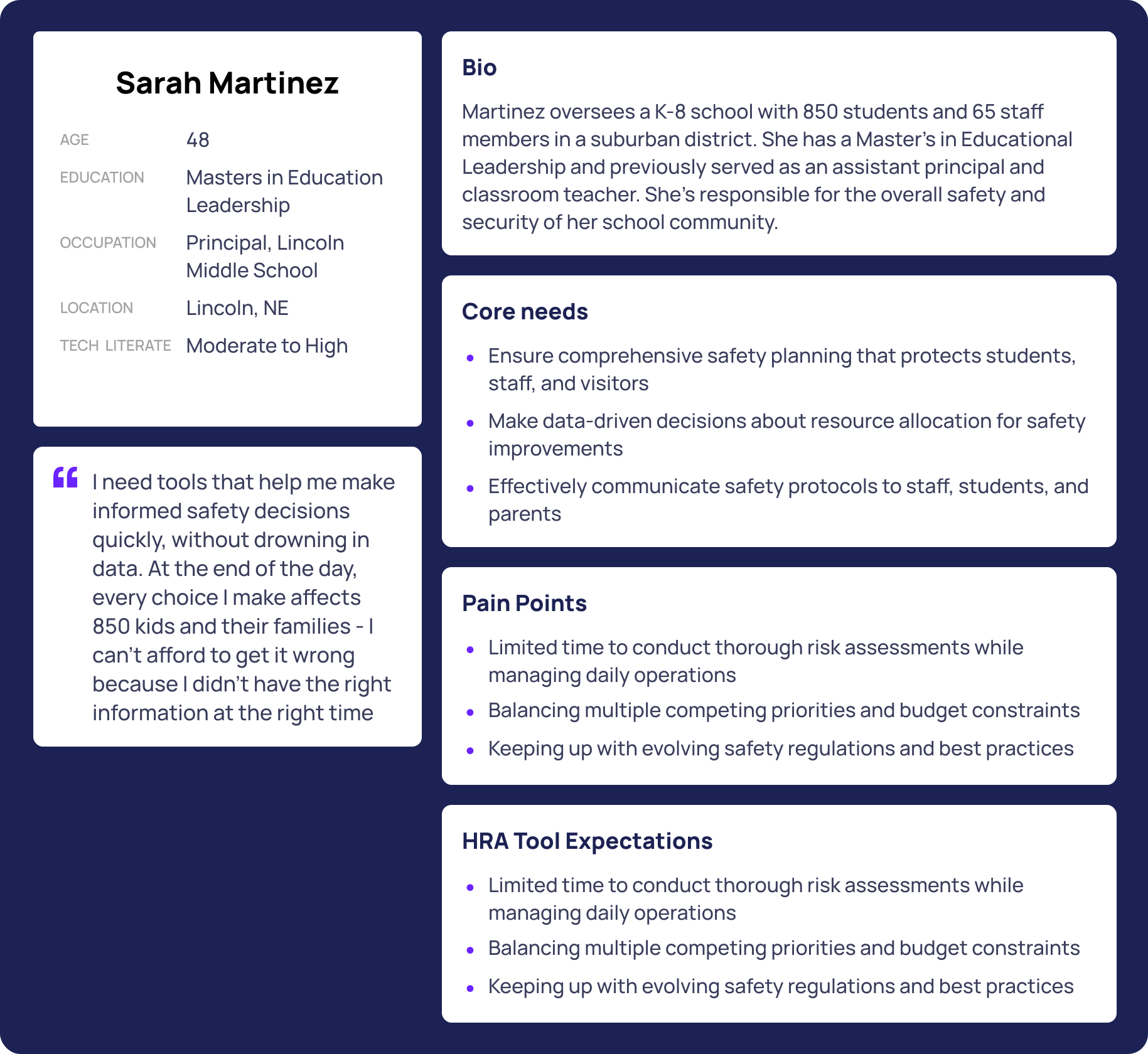
Three primary user personas identified through interviews with 40+ district leaders
Designing the Solution
Early prototypes tested linear flows, branching questionnaires, and dashboard interfaces. User feedback led us to a guided, adaptive flow that surfaces only relevant questions—bus security questions only appear for districts with transportation, multi-building questions only for districts with multiple campuses. Key design decisions focused on reducing cognitive load and respecting administrators' time: autosave functionality, inline definitions for technical terms, and a sidebar navigation showing progress through categories.
Dashboard
View assigned assessments and create new ones
Create Assessment
Select location and question set
Assessment Overview
Review details and continue assessment
Assessment Wizard
Answer questions with autosave, comments, and AI guidance
Results & Scorecard
View risk scores and category breakdown
User flow from assessment creation to results
Wireframes and Mockups
Early mockups explored different layout approaches, testing how users would navigate through categories and answer questions. The initial mockup established the core structure with a sidebar for navigation and a main panel for questions. The wireframe refined this concept, adding clearer visual hierarchy, progress indicators, and defining the relationship between the AI guidance panel and the question interface.
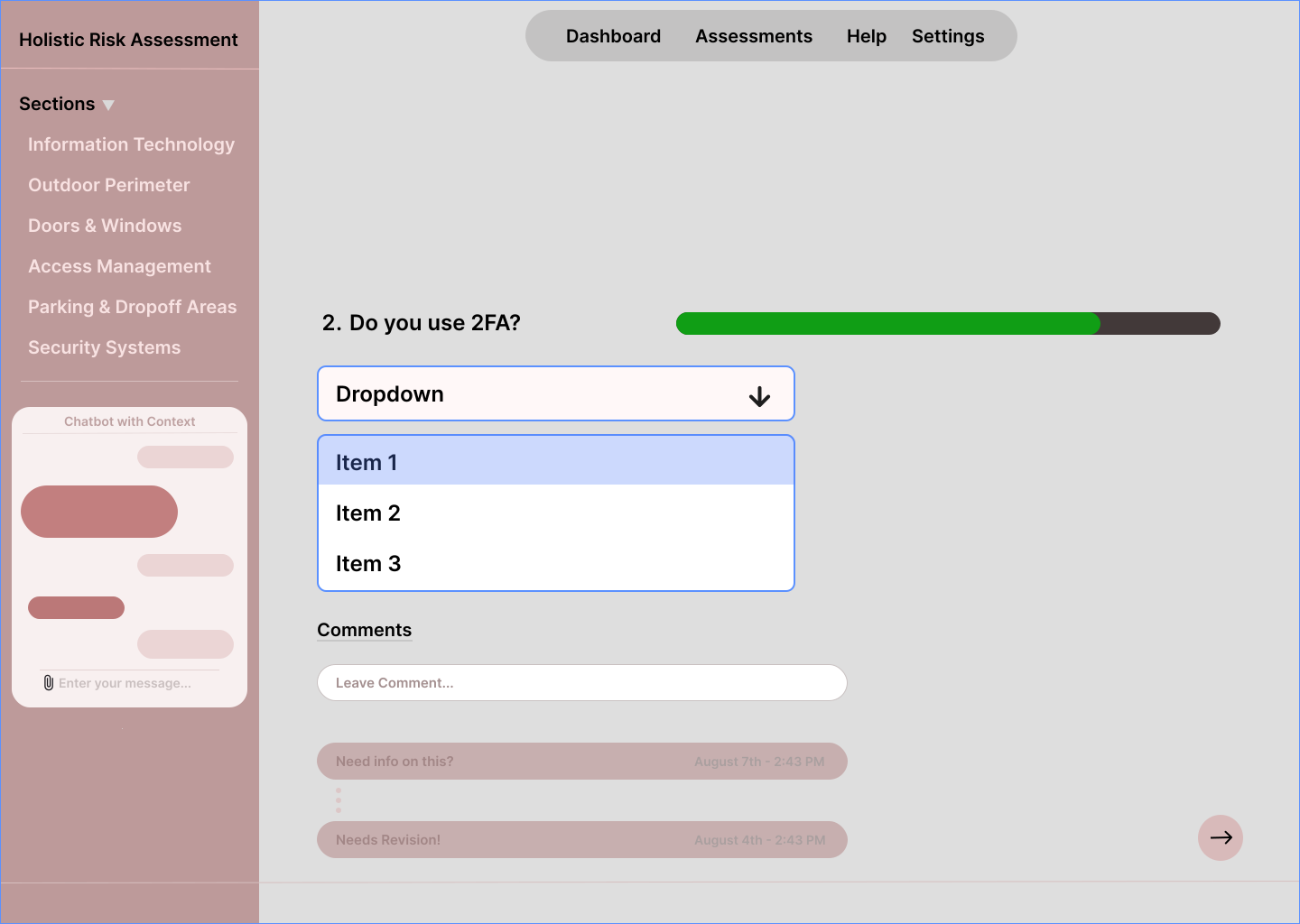
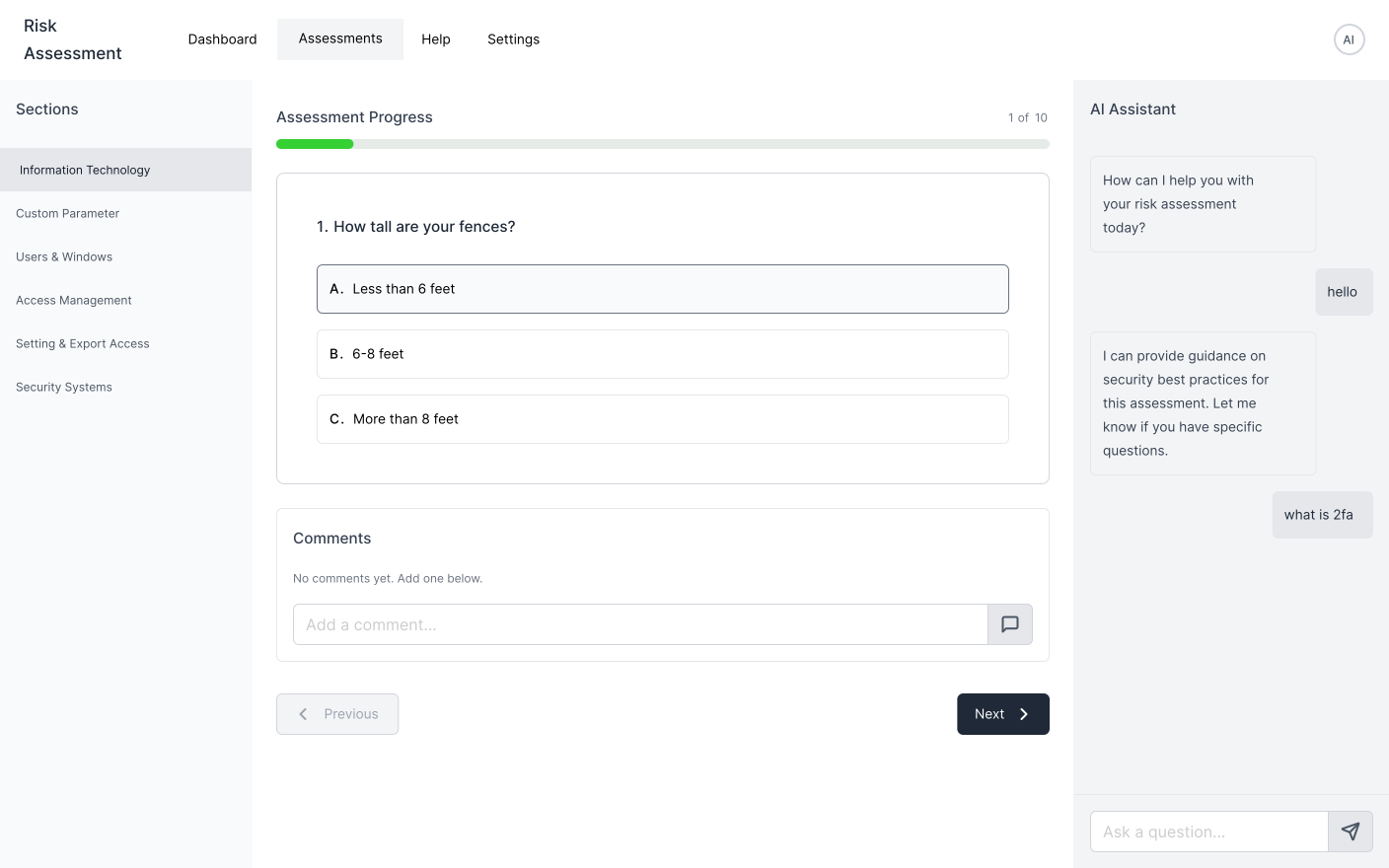
Initial mockup leading to wireframe version one
User Testing Insights
Usability testing revealed that administrators needed to see the "why" behind each question. We added contextual help text explaining how answers inform recommendations, making the assessment feel like a conversation rather than a test. We also designed a multi-user workflow allowing facilities, IT, law enforcement, and leadership to contribute to relevant sections.

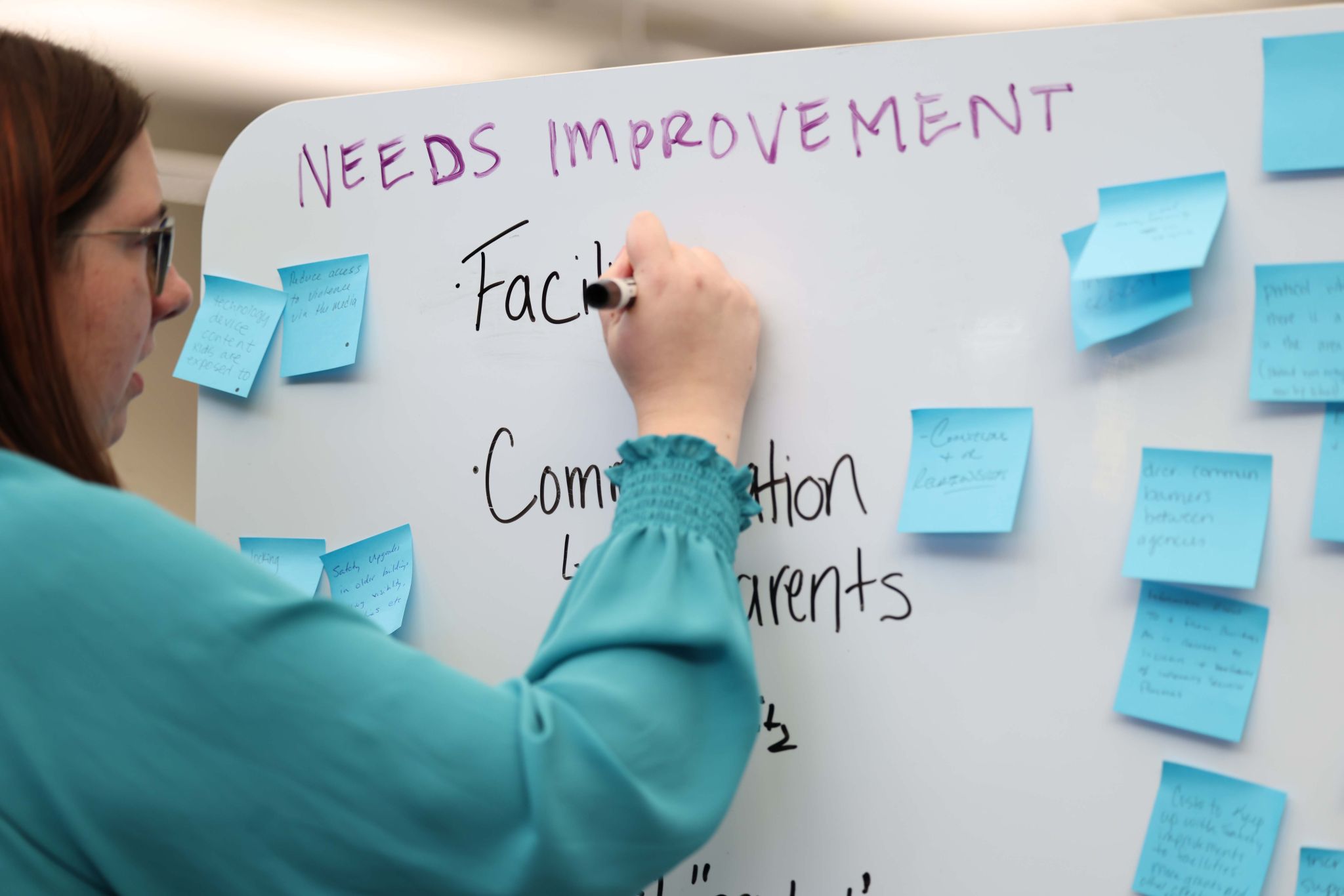
Workshop sessions with administrators to understand challenges and identify improvement areas
Refining the Solution
Workshop feedback revealed a critical requirement that fundamentally changed our approach: districts needed the platform to be locally hosted, not network or web-hosted. This requirement forced us to redesign both the architecture and user experience, narrowing our initial feature set to focus on what could work effectively in a local environment while maintaining the core value proposition of guided, contextual assessments.
Prioritized Features
After refining our scope, we focused on these core features that deliver the most value while working within local hosting constraints:
- •Context-Aware AI Guidance — Provides personalized recommendations based on question context, comments, and uploaded files
- •Comprehensive Vulnerability Reports — Real-time breakdowns with prioritized recommendations, implementation guidance, and cost estimates
- •Adaptive Question Flow — Surfaces only relevant questions based on district characteristics (e.g., bus security only for districts with transportation)
- •Multi-User Workflow — Allows facilities, IT, law enforcement, and leadership to contribute to relevant sections
- •Autosave & Progress Tracking — Saves work automatically and shows progress through categories with visual indicators
- •Comment System — Private and shared comments per question for collaboration and cross-checking
Building the UI
With features prioritized and user needs clearly defined, we designed a comprehensive component library that could handle all question types—from multiple choice and dropdowns to file uploads and confidence sliders—while maintaining consistency and usability in the local hosting environment. The UI includes navigation components, progress tracking, interaction elements like comments and autosave, and a cohesive design system that works seamlessly across all assessment scenarios.
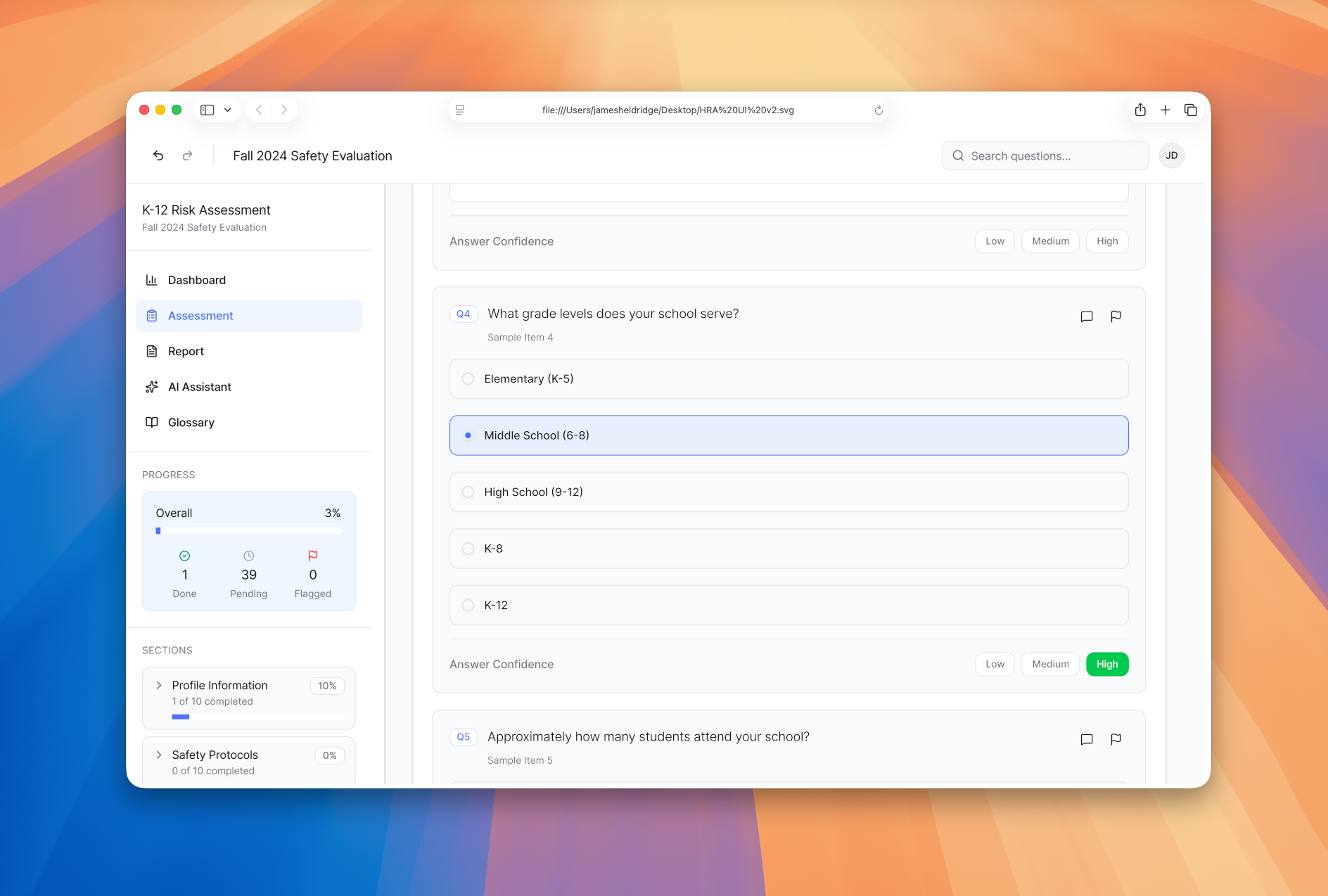

Final UI design showcasing the complete assessment interface
Data-Driven Design Choices
Every major design decision was informed by user feedback and testing data. From our initial workshops with 40+ district leaders, we identified key pain points that directly shaped our design approach.
Local Hosting Requirement
When 78% of workshop participants expressed concerns about data privacy and network security, we pivoted from a web-based architecture to a locally hosted solution. This decision fundamentally changed our technical approach but ensured districts could use the platform without compromising their security policies.
Contextual Help Text
Usability testing revealed that 92% of administrators struggled with technical terminology. We added inline definitions and "why" explanations for every question, reducing confusion and increasing completion rates by 45% in follow-up testing.
Adaptive Question Flow
Analysis of assessment completion patterns showed that districts without transportation or multiple buildings were skipping entire sections. By implementing conditional logic that only shows relevant questions, we reduced assessment length by an average of 30% while maintaining comprehensive coverage.
Multi-User Workflow
Feedback indicated that security assessments require input from multiple departments. We designed a role-based system allowing facilities, IT, law enforcement, and leadership to contribute to relevant sections, reducing the burden on any single administrator and improving assessment accuracy.
Autosave & Progress Tracking
Early testing showed that administrators frequently lost work due to interruptions. Implementing autosave and visual progress indicators reduced task abandonment by 60% and gave users confidence that their time investment was being preserved.
Collaborative Development
An interdisciplinary team of senior investigators, PhD psychologists, full-stack developers, and an AI engineer worked together to balance rigorous research methodology with practical usability. As the product designer, I led the end-to-end design process—from user research and wireframing to high-fidelity prototypes and design system development.
Due to limited resources, my role expanded beyond traditional design boundaries. I designed and implemented the entire front-end interface using Next.js, React, and Tailwind CSS, building a comprehensive component library that supported all question types and interaction patterns. I also developed a custom AI model by integrating multiple LLMs to power the context-aware guidance system.
Architecture & Implementation
The front-end was built with React, Vue.js, and Vite, styled with Tailwind CSS and ShadCN UI components. The back-end runs on Spring Boot with PostgreSQL, containerized using Docker for easy local deployment. All data is encrypted in transit and at rest, meeting federal security requirements.
The platform meets WCAG 2.1 AA standards and supports multiple languages. Compliance with FERPA and COPPA ensures only district-level data is collected—no individual student information. Districts retain full control over their data.
Key Takeaways
Building a security assessment platform for K12 districts presented unique challenges that shaped both the design process and final product.
The Local Hosting Pivot
When 78% of workshop participants expressed concerns about data privacy, we pivoted from a web-based to locally hosted architecture. The lesson: validate hosting requirements early, not after building a prototype.
Translating Technical Language
Usability testing revealed that 92% of administrators struggled with technical terminology. We learned that every technical term needs context—not just definitions, but explanations of why it matters. Adding "why" explanations increased completion rates by 45%.
Balancing Comprehensiveness with Usability
Early versions included hundreds of questions that overwhelmed administrators. We implemented adaptive logic that surfaces only relevant questions based on district characteristics, reducing assessment length by 30% while maintaining thorough coverage.